
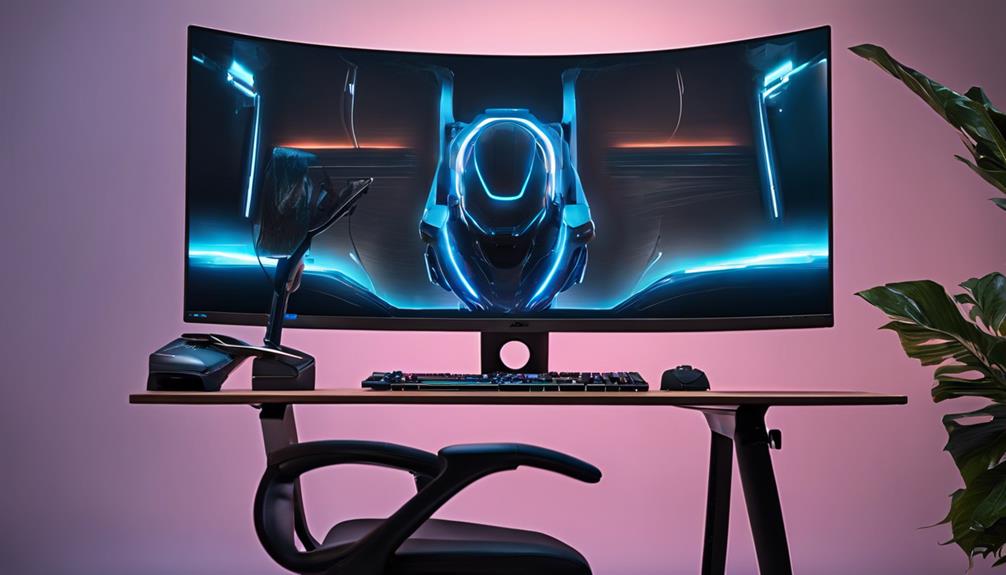
You're on a mission to craft a gaming setup that's tailored to your unique needs and style, where every component, accessory, and detail converges to elevate your gaming experience. Start by evaluating your gaming needs, identifying the types of games you play most often and the features that matter most to you. Allocate your budget accordingly, ensuring compatibility among components and prioritizing must-haves over nice-to-haves. Next, choose comfortable seating options, design an ergonomic workspace, and add essential accessories that enhance functionality and aesthetics. As you fine-tune your setup, you'll be one step closer to immersing yourself in a gaming world that's uniquely yours.
Assessing Your Gaming Needs
To create a gaming setup that truly meets your needs, start by identifying the types of games you play most often and the features that matter most to you. Are you an avid fan of fast-paced first-person shooters or do you prefer immersive role-playing games? Do you need a setup that can handle 4K resolutions or are you satisfied with 1080p? Knowing your gaming habits will help you prioritize your needs and allocate your budget accordingly.
When it comes to budget considerations, be realistic about how much you're willing to spend. Set a budget and stick to it to avoid overspending on unnecessary features. Space planning is also pivotal, especially if you have limited room in your gaming area. Consider the size of your desk, the distance between your chair and the screen, and the placement of your peripherals.
Your personal preferences also play a significant role in designing your dream gaming setup. Think about the type of chair you need, the kind of keyboard and mouse you prefer, and the sound system that will enhance your gaming experience. Finally, consider future upgrades when making your design decisions. Will your setup be able to handle newer, more demanding games? By taking these factors into account, you'll be well on your way to creating a gaming setup that's tailored to your unique needs and preferences.
Choosing the Right Hardware
With your gaming needs and budget in mind, you're now ready to select the hardware that will bring your dream setup to life. This is where things can get exciting, but also overwhelming. Don't worry, we've got you covered! When choosing the right hardware, compatibility is key. Make sure that all your components work seamlessly together, avoiding any potential bottlenecks. Your budget will also play a significant role in this decision, so prioritize your must-haves and nice-to-haves accordingly.
Aesthetics are also essential in creating your dream gaming setup. Consider the color scheme, design, and overall look you're going for. Do you prefer a sleek and modern approach or a more retro vibe? Customization options can also make a huge difference. Look for components with customizable lighting, cooling systems, or even 3D-printed parts. These small touches can elevate your gaming experience and make it truly unique.
Selecting Comfortable Seating Options
You'll likely spend hours on end in your gaming setup, so it's important that you select a seating option that provides the best comfort and support. Reflect on it, a comfortable seat can make all the difference between an epic gaming session and a miserable one. When it comes to customizing comfort, you have a plethora of choices to pick from. You can opt for a high-back gaming chair with adjustable lumbar support, or a recliner with built-in footrest for ultimate relaxation.
Whatever your preference, it's essential to ponder the materials used, the weight capacity, and the overall aesthetic appeal of the seating solution. For instance, if you're into racing games, you might want a chair with a sturdy base and adjustable armrests to simulate the racing experience. On the other hand, if you're a casual gamer, a plush recliner with built-in speakers might be the way to go.
When selecting a seating solution, don't be afraid to get inventive. You can add customized features like cooling or heating systems, adjustable headrests, or even built-in cup holders. The key is to find a seating option that not only provides comfort but also complements your gaming style. By doing so, you'll be able to focus on what matters most – dominating your gaming opponents and having an absolute blast while doing it!
Designing an Ergonomic Workspace
Designing an Ergonomic Workspace
Five essential components make up an ergonomic workspace: a comfortable desk, a suitable monitor stand, a well-positioned keyboard tray, an adjustable mouse pad, and a reliable cable management system. These elements work together to create a space that's tailored to your unique needs, allowing you to game for hours on end without discomfort or fatigue.
To get started, consider the following tips to optimize your ergonomic desk setup:
- Adjust your desk height: Make sure your desk is at a comfortable height for your arms and legs. You should be able to type with your elbows at a 90-degree angle and your feet flat on the floor or on a footrest.
- Position your monitor correctly: Place your monitor directly in front of you, about arm's length away. The top of the screen should be at eye level or slightly below.
- Keep your cables organized: Invest in cable management solutions like cable ties, cable organizers, or a cable management box to keep your workspace clutter-free and reduce distractions.
Adding Essential Accessories
Now that your ergonomic workspace is set up, it’s time to explore the accessories that’ll elevate your gaming experience to the next level. You’ve got the comfort and functionality nailed down, but it’s the little extras that’ll take your setup from great to amazing. A high-quality mechanical keyboard and a precision gaming mouse can enhance responsiveness and accuracy, making every movement seamless. Investing in a great headset with immersive audio ensures you never miss a sound cue, giving you a competitive edge. Plus, with custombuilt PC advantages, you can optimize performance with top-tier components, faster processing speeds, and better cooling systems tailored to your needs.
First up, let's talk cable management. You don't want a tangled mess of cords and wires ruining the sleek look of your setup. Invest in some cable organizers or zip ties to keep everything tidy and out of sight. Not only will it look better, but it'll also reduce the risk of damage to your expensive gaming gear.
Next, add some decorative accents to give your space some personality. A few well-placed gaming-themed posters or figurines can make your setup feel truly yours. You could even add some colorful LED lights to create a unique ambiance. Just be sure not to overdo it – you want your setup to look cool, not cluttered.
Creating an Immersive Atmosphere
When creating your dream gaming setup, you're not just building a space to play games – you're crafting an immersive experience that transports you to new worlds. To do this, you'll want to focus on the details that bring your setup to life, from the soft glow of ambient lighting to the rich sounds that surround you. By getting these elements just right, you'll be able to lose yourself in the game and take your gaming experience to the next level.
Ambient Lighting Essentials
As you assemble your dream gaming setup, incorporating ambient lighting essentials becomes essential to creating an immersive atmosphere that transports you into the game. You want to feel like you're part of the action, and the right lighting can make all the difference.
To create an immersive atmosphere, consider the following ambient lighting essentials:
- Dynamic Lighting Effects: Invest in lights that can change color, pattern, and intensity to match the game's mood and atmosphere. This will help you feel more connected to the game world.
- Mood-Enhancing Color Schemes: Choose a color scheme that complements the game's tone and genre. For example, cool blues and purples for a sci-fi game or warm oranges and reds for an action game.
- Soft, Indirect Lighting: Use soft, indirect lighting to reduce eye strain and create a cozy, intimate atmosphere. This will help you focus on the game and stay immersed for longer periods.
Soundscaping for Immersion
By carefully curating the soundscape in your gaming setup, you can transport yourself into the game world, where every gunshot, explosion, and rustling of leaves becomes a visceral experience. To achieve this, you'll want to create customized soundscapes that complement your gaming atmosphere. Think about the type of games you play most often and the sounds that will enhance your experience. For example, if you're an FPS enthusiast, you might prioritize clear and distinct gunfire sounds, while RPG fans might prefer more ambient, atmospheric sounds.
Investing in a good sound system or high-quality gaming headset can make a huge difference. Look for products with features like 3D audio or surround sound, which can simulate the sense of being fully immersed in the game world. You can also experiment with sound-enhancing software or apps that allow you to customize your audio experience. By fine-tuning your soundscapes, you'll be able to focus more intently on the game and feel like you're an integral part of the action. With the right audio immersion, you'll be fully invested in the gaming atmosphere, and your overall experience will be elevated to new heights.
Optimal Seating Arrangement
You'll want to position your seat in a way that complements your soundscaping setup, allowing you to fully absorb the immersive atmosphere you've created. This means considering the layout of your gaming space and finding the sweet spot where you can sit back, relax, and get lost in the game.
Here are three tips to help you achieve an ideal seating arrangement:
- Invest in a comfortable chair: Look for one with good lumbar support and adjustable height and tilt. This will guarantee you can sit for hours without feeling fatigued or uncomfortable.
- Position your chair at the right distance: Sit far enough from your screen to take in the entire view, but close enough to feel fully engaged. Experiment with different distances to find what works best for you.
- Consider an adjustable desk: This will allow you to switch between sitting and standing throughout your gaming session, helping to maintain focus and energy levels.
Bringing It All Together
Your dream gaming setup is now taking shape, and it's time to integrate all the components into a cohesive, high-performance system. You've chosen the perfect monitor, keyboard, and chair, but now it's time to think about how they'll all work together seamlessly. This is where cable management comes in. You don't want a mess of cords and cables cluttering up your space, so invest in some cable ties, cable organizers, or a cable management box to keep everything tidy. This will not only make your setup look more professional, but it'll also reduce the risk of damage to your components.
Next, consider your storage solutions. You'll need a place to keep your games, accessories, and other gear when they're not in use. A gaming desk with built-in storage or a separate shelving unit can be a great investment. Look for something with adjustable shelves and drawers to customize your storage space. This will help keep your gaming area organized and make it easier to find what you need when you need it. By implementing these solutions, you'll be able to focus on what really matters – gaming. With your dream setup finally coming together, you'll be ready to take your gaming experience to the next level.
Frequently Asked Questions
Can I Use a TV Instead of a Gaming Monitor?
You're wondering if you can ditch the gaming monitor for a TV, huh? Well, it's doable, but consider the pros and cons first. TVs often have higher input lag, which can affect your gaming performance. On the other hand, they're usually bigger and can offer a more immersive experience. If you're a casual gamer, a TV might be fine, but if you're competitive, a gaming monitor's lower input lag might be the better choice.
How Often Should I Clean My Gaming Setup?
"Your gaming haven is your happy place, where the magic happens. But, let's get real, it can quickly turn into a dust-ridden den if you don't stay on top of cleaning. You should aim to wipe down your setup every week or two, depending on usage. Make it a habit to dust those vents and crevices, and give your gear a deeper clean every month. Trust us, your hardware (and allergies) will thank you!"
Are Gaming Desks With Built-In Cable Management Worth It?
You're wondering if gaming desks with built-in cable management are worth the investment. Honestly, they can be a game-changer! With features like cable organization systems and clips, you'll keep your space tidy and focused on gaming. Plus, many desks come with desk accessories like cable sleeves to further reduce clutter. It's all about creating a setup that lets you zone in on the action, not the mess.
Can I Use a Regular Keyboard for Gaming Purposes?
"Grab your trusty quill and parchment, gamer! In this modern era, you're wondering if a regular keyboard can keep up with your gaming needs. Truth is, it can, but you might be sacrificing performance and comfort. Mechanical keyboards are designed specifically for gaming, offering customizable switches and N-key rollover. Plus, pairing it with a high-quality gaming mousepad will elevate your gaming experience. So, can you use a regular keyboard? Yeah, but why settle when you can level up?"
Do I Need a Separate Sound Card for Better Audio Quality?
You're wondering if a separate sound card is a must-have for better audio quality. Honestly, it depends on your current setup. If your motherboard's built-in audio is decent, you might not need a separate sound card. But, if you crave immersive gaming experiences, a dedicated sound card can make a huge difference. Meanwhile, don't forget to prioritize comfort – a gaming chair with ergonomic design can elevate your entire gaming experience.
