
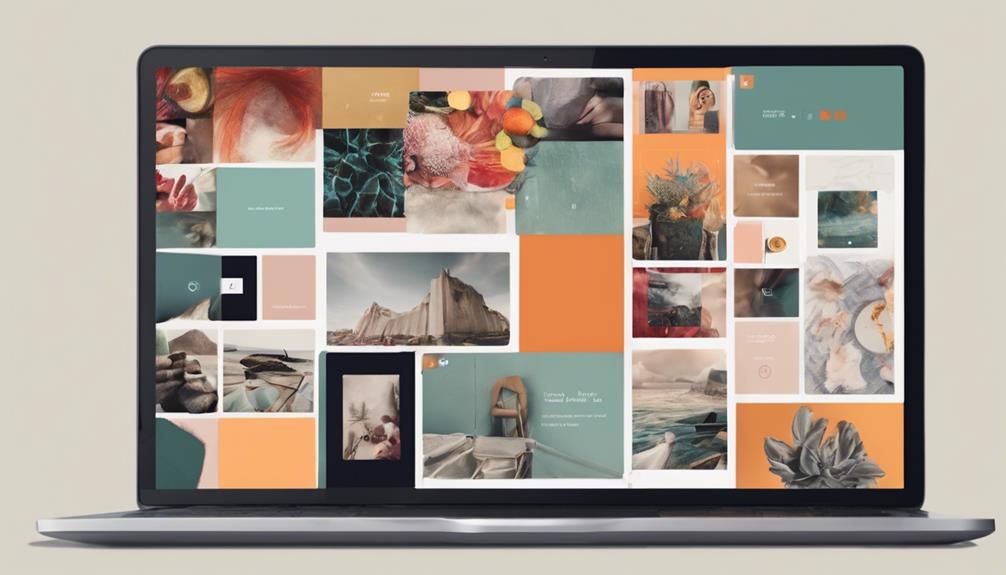
To create a digital portfolio that shines, you'll need to identify your specific goals and target audience. Determine what you want to achieve with your portfolio, whether it's attracting clients or showcasing your skills. Choose a platform that aligns with your goals, prioritizing customization options and mobile compatibility. Curate content that communicates your skills and accomplishments, categorizing projects to create a clear flow. Select a consistent color scheme and limit fonts to create a visually appealing site. Finally, craft compelling case studies that highlight your problem-solving skills and results. By following these steps, you'll be on your way to creating a portfolio that truly stands out – and there's more to explore to take it to the next level.
Define Your Portfolio's Purpose
As you begin creating a digital portfolio, define its purpose by identifying the specific goals and audiences you want to target with your online showcase. What do you want to achieve with your portfolio? Are you looking to attract new clients, land a job, or simply showcase your skills to the world? Establishing clear goals will help you focus on what to include and how to organize your content.
Think about the types of projects you want to feature and the skills you want to highlight. Are you a graphic designer looking to showcase your branding expertise, or a writer wanting to display your storytelling abilities? Knowing your strengths and the skills you want to showcase will help you curate a portfolio that truly represents your talents.
Consider your target audience as well. Who will be viewing your portfolio, and what will they be looking for? Are they potential employers, clients, or peers? Understanding your audience will help you tailor your content and presentation to meet their needs and expectations. By establishing goals and identifying your target audience, you'll be able to create a digital portfolio that effectively communicates your value and showcases your skills in a way that resonates with your desired audience.
Choose the Right Platform
Now that you've defined your portfolio's purpose and identified your target audience, it's time to select a platform that will effectively showcase your work and help you achieve your goals. With so many options available, choosing the right one can be overwhelming. To make an informed decision, consider conducting a platform comparison. Research popular options like Wix, Squarespace, and WordPress, and weigh their pros and cons.
When evaluating platforms, think about customization options. Will you need flexibility in design and layout to showcase your unique style? Or do you prefer a more structured approach with pre-designed templates? Consider what features are essential to you and your audience. For instance, if you're a photographer, you may prioritize a platform with high-quality image display capabilities.
User experience is also vital. Your platform should be easy to navigate, with a clean and intuitive interface that allows visitors to focus on your work. Additionally, with most users accessing websites on their mobile devices, mobile compatibility is a must. Confirm that your chosen platform is optimized for various devices and screen sizes.
Ultimately, the right platform will depend on your specific needs and goals. By considering these factors, you'll be able to create a digital portfolio that effectively showcases your work and provides a seamless user experience.
Selecting and Organizing Content
Curating a strong digital portfolio requires you to thoughtfully select and organize content that effectively communicates your skills, experience, and accomplishments to your target audience. This is where content curation comes in – it's about choosing the right pieces that showcase your best work and tell a cohesive story. Start by gathering all your relevant projects, writing samples, designs, or any other relevant work. Then, categorize them based on your skills, industries, or types of projects. This will help you see patterns and identify your strengths.
As you select your content, ask yourself: Does it demonstrate my skills and expertise? Is it relevant to my target audience? Does it tell a story about my accomplishments? Be ruthless – if it doesn't meet these criteria, consider leaving it out. You want your portfolio to be concise and easy to navigate. Aim for quality over quantity.
When organizing your content, consider your portfolio layout. You want to create a clear flow that guides your visitors through your work. Use clear headings, concise descriptions, and visuals to break up the text. Make it easy for visitors to find what they’re looking for. Remember, your goal is to showcase your skills and expertise in a way that resonates with your target audience. By thoughtfully selecting and organizing your content, you’ll be well on your way to creating a digital portfolio that shines. Consider personalizing your digital workspace to reflect your unique style and professional identity. Customizing the design, color scheme, and layout can help create a cohesive and memorable experience for your visitors. A well-structured and visually appealing portfolio will leave a lasting impression and effectively highlight your strengths.
Designing a Visually Appealing Site
You'll want to create a visually attractive site that draws visitors in and showcases your content in the best possible light. Think of your digital portfolio as a virtual art gallery – every element should work together to create a cohesive and engaging experience. To achieve this, start by selecting a color scheme that reflects your personal brand and resonates with your target audience. Choose a palette that's consistent throughout your site to establish a sense of continuity.
Next, consider the fonts you'll use. Limit yourself to two or three fonts that complement your color scheme and are easy to read. Avoid using fonts that are too ornate or difficult to decipher, as they can detract from your content. Photography and graphics also play a pivotal role in creating a visually attractive site. Use high-quality images that are relevant to your work and help to break up large blocks of text. Graphics can add an extra layer of visual interest, but use them sparingly to avoid overwhelming the senses.
Writing Compelling Case Studies
As you develop your digital portfolio, craft case studies that tell the story of your projects, highlighting the challenges, solutions, and outcomes that demonstrate your skills and expertise. These case studies should be more than just a list of your accomplishments; they should showcase your thought process, problem-solving skills, and ability to deliver results.
To make your case studies compelling, use storytelling techniques to draw your audience in. Start with a hook that grabs their attention, then walk them through the challenges you faced, the solutions you implemented, and the outcomes you achieved.
| Case Study Element | Example |
|---|---|
| Challenge | "The client wanted to increase website traffic by 50% in 3 months" |
| Solution | "I developed a targeted SEO strategy, including keyword research and content optimization" |
| Outcome | "Website traffic increased by 60% in 2 months, exceeding the client's goal" |
| Visual Aid | "Screenshot of website analytics showing traffic increase" |
Don't forget to include client testimonials to add social proof and credibility to your case studies. Visual aids like images, videos, or infographics can also help to break up the text and make your case studies more engaging. By showcasing results and using storytelling techniques, you'll be able to create case studies that truly shine and demonstrate your value as a professional.
Frequently Asked Questions
How Often Should I Update My Digital Portfolio?
You're wondering how often to update your digital portfolio? Well, it depends on your goals and industry. Aim to refresh your portfolio design and content every 3-6 months to showcase new skills and projects. But, if you're in a fast-paced field, consider updating every 1-2 months to stay relevant. Don't forget to choose a portfolio format that makes it easy for you to make changes and additions as you go!
Can I Use a Website Builder for a Custom Domain?
You're wondering if you can use a website builder for a custom domain. Absolutely, you can! Website builders like Wix, Squarespace, or Weebly allow you to create a custom domain, giving you more control over your online presence. However, keep in mind that custom designs might be limited, and branding consistency might be a challenge. But, with some creativity, you can still create a unique space that reflects your personality and style.
What if I Don't Have Many Projects to Showcase?
Imagine walking into an art gallery with empty walls. It's challenging, right? That's how you might feel if you don't have many projects to showcase. But here's the thing: it's not about the number of pieces you have, it's about the quality of each one. Focus on showcasing your potential, even if it's just a few projects. Remember, quality over quantity is what truly matters. You're not trying to fill a space, you're trying to tell a story about who you are as a creator.
Is It Necessary to Include Client Testimonials?
You're wondering if including client testimonials is a necessity in your portfolio. The reality is, they can have a substantial impact on your portfolio's credibility. When you showcase testimonials, you're allowing your clients to vouch for your skills, which can instill confidence in potential clients. But, if you don't have any testimonials yet, don't fret! You can use alternative methods to demonstrate client satisfaction, such as case studies or success stories.
How Do I Ensure My Portfolio Is Mobile-Friendly?
When building your portfolio, you'll want to make sure it looks and feels amazing on mobile devices. To do this, focus on design elements that adapt seamlessly to smaller screens. Consider the user experience – can visitors easily navigate and find what they need? Also, prioritize load speed and responsive design to prevent frustration. By getting these elements right, you'll create a mobile-friendly portfolio that wows on-the-go.
