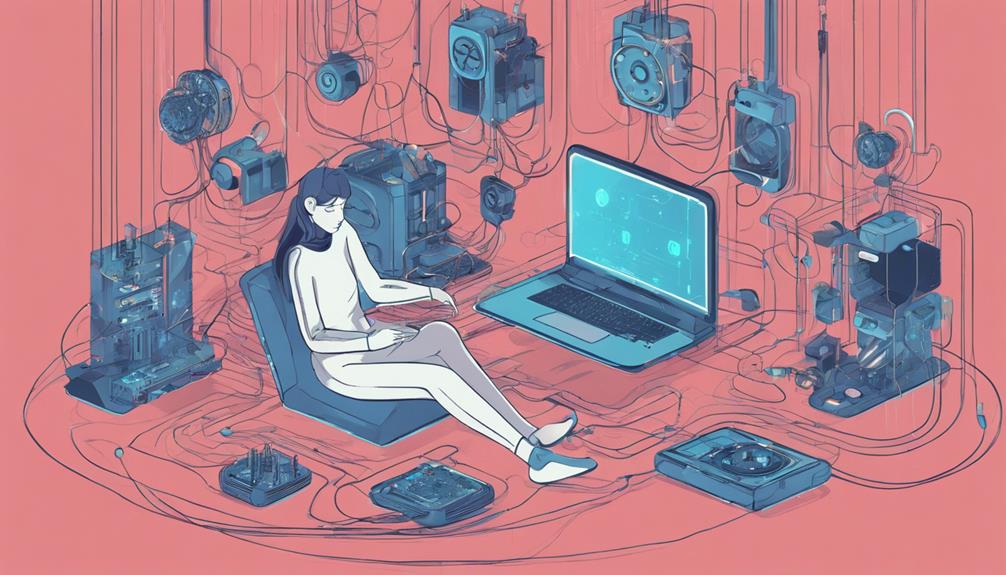
You're likely no stranger to technology, but are you using it to your advantage? Start by evaluating your digital habits to understand how you spend your time online. Then, declutter your digital space by organizing files, deleting unnecessary ones, and establishing consistent naming conventions. Next, automate repetitive tasks to save time and energy. Master your notification system by prioritizing critical alerts and customizing settings. Finally, optimize your digital tools by identifying essential ones and utilizing features like keyboard shortcuts. By following these steps, you'll be well on your way to making your tech work for you – and there's still more to discover.
Assess Your Digital Habits
Take a closer look at how you interact with technology daily, as your digital habits can either be a productivity powerhouse or a significant time sink. It's essential to assess your digital habits to understand how you're spending your time online. Consider taking a digital detox, even if it's just for a day, to reset your relationship with technology. This break will give you a fresh perspective on your habits and help you identify areas for improvement.
Start by tracking your screen time to see where you're spending most of your online hours. Are you mindlessly scrolling through social media, or are you focused on tasks that drive productivity? Conduct a productivity analysis to determine which activities are generating the most value. You might be surprised at how much time you're wasting on non-essential tasks.
Declutter Your Digital Space
Now that you have a better understanding of your digital habits, it's time to rid your digital space of clutter that's hindering your productivity. Think of it as digital spring cleaning! You're about to breathe new life into your tech routine.
Let's start with your computer files. It's time to organize them in a way that makes sense to you. Create clear folders and subfolders, and be ruthless about deleting anything you no longer need. Remember, the less you have to sift through, the faster you'll find what you're looking for. Take it a step further by setting up a consistent naming convention for your files, so you can easily identify them at a glance.
Next, tackle that overflowing inbox. It's overwhelming, isn't it? Take a few minutes to sort through your emails, deleting or archiving anything that's no longer relevant. Then, set up filters and labels to keep your inbox clean and organized going forward. You'll be amazed at how much more focused you'll feel without the weight of digital clutter holding you back. By decluttering your digital space, you're creating room for more efficiency, creativity, and productivity. You got this!
Automate Repetitive Tasks
By streamlining repetitive tasks, you're freeing up precious time and mental energy to focus on what truly matters. Think about it: how many hours do you spend each week on mundane tasks that could be automated? It's time to take back control and make your tech work for you.
Automating repetitive tasks is one of the most effective time-saving strategies out there. By implementing customizable solutions, you can create efficiency hacks that boost your productivity and free up more time for the things you love. For instance, you can set up automatic backups for your files, schedule social media posts in advance, or even automate routine emails.
The beauty of automation is that it's tailored to your specific needs. You can create solutions that fit your unique workflow and style, making it easy to stay on top of tasks without breaking a sweat. With the right tools and mindset, you can turn tedious tasks into seamless processes that run like clockwork.
Master Your Notification System
You're constantly bombarded with notifications from various apps, emails, and social media platforms, making it difficult to separate the essential from the trivial. It's time to take control of your notification system and make it work for you, not against you. To start, prioritize your notifications by identifying the most critical ones that require your immediate attention. Customize your settings to guarantee you only receive notifications that matter, and silence the rest.
Next, minimize distractions by grouping similar notifications together, such as social media updates or promotional emails. This will help you stay focused on your tasks without constant interruptions. Consider implementing a 'do not disturb' mode during certain hours of the day or setting specific notification-free zones, like your bedroom or during family time.
Optimize Your Digital Tools
With your notification system under control, it's time to turn your attention to the digital tools that can either boost your productivity or hinder it, depending on how well you optimize them. You've got a treasure trove of digital tools at your disposal, but are you using them to their full potential? It's time to take a closer look at how you can optimize them to achieve digital efficiency.
Start by identifying the tools that are essential to your workflow. Which ones do you use daily? Which ones can you automate or integrate to save time? By streamlining your digital toolkit, you'll reduce distractions and increase productivity hacks. Take advantage of features like keyboard shortcuts, customizable workflows, and automation rules to get more done in less time.
Streamline Your Workflow Process
Now that you've optimized your digital tools, it's time to focus on streamlining your workflow process. By simplifying task management and automating repetitive tasks, you'll free up more time to focus on high-priority tasks. You'll be amazed at how much more efficient you can be when you're not bogged down by tedious busywork.
Simplify Task Management
By automating repetitive tasks and breaking down large projects into manageable chunks, you can reduce the time spent on task management to a great extent. This allows you to focus on what matters most – getting things done efficiently. To simplify task management, start by tracking your time. Identify how much time you spend on each task, and allocate your time wisely. Prioritize your projects based on their urgency and importance. Focus on completing the high-priority tasks first, and then move on to the less critical ones. This will help you stay on top of your workload and avoid procrastination. You can use project management tools to visualize your tasks, set deadlines, and track your progress. By streamlining your task management process, you'll be able to accomplish more in less time, and enjoy a better work-life balance.
Automate Repetitive Tasks
Take control of your workflow by identifying tasks that eat away at your productivity, and automate them to free up more time for high-leverage activities. You'll be amazed at how much more you can accomplish when you're not bogged down by repetitive tasks. By implementing time-saving strategies and efficiency hacks, you can streamline your workflow and maximize your productivity.
Automation techniques can be a game-changer for busy professionals. For instance, you can use software to schedule social media posts, set reminders, and even automate data entry tasks. This will free up more time for you to focus on high-priority tasks that drive results. By automating repetitive tasks, you'll reduce the risk of human error, increase accuracy, and gain a competitive edge.
Set Boundaries With Technology
You set the tone for a healthier relationship with technology by establishing boundaries around when and how you use it. It’s time to take control and prioritize your well-being. Start by implementing a tech detox, where you disconnect from all devices for a set period. This digital timeout will help you recharge and gain perspective on your tech use. Establish digital boundaries by designating tech-free zones, like your bedroom or dining table, to create space for meaningful connections and relaxation. Additionally, consider setting specific screen time limits to ensure a balanced approach to technology use throughout your day. By being intentional with your digital habits, you can create a seamless tech experience at home that enhances productivity without overwhelming your personal space. With these mindful changes, you’ll foster a healthier relationship with technology while maintaining a sense of control and well-being.
Next, practice mindful screen time by being intentional about when and how you use your devices. Set limits on your daily screen time, and schedule breaks throughout the day. This tech balance will help you avoid mindless scrolling and reduce the likelihood of burnout. Consider implementing a "no phone zone" during meals or when spending time with loved ones. By doing so, you'll cultivate deeper connections and create space for meaningful conversations.
Frequently Asked Questions
How Do I Balance Work and Personal Life With Constant Notifications?
You're always connected, and it's exhausting. Constant notifications blur the lines between work and personal life. To break free, focus on time management. Set boundaries by designating device-free zones and scheduling tech-free hours. Practice mindfulness techniques, like meditation and deep breathing, to stay present and centered. By prioritizing your well-being, you'll find a healthier balance and a more peaceful you.
Can I Really Trust Automation With Sensitive or Important Tasks?
You're right to wonder if you can really trust automation with sensitive tasks. With data security and privacy concerns on the rise, it's vital to be cautious. However, technology automation has come a long way, and many systems have robust security measures in place. You can trust automation, but it's essential to vet the technology and understand how your data is being used.
Are There Any Digital Tools That Can Help With Focus and Productivity?
You're tired of feeling like a hamster on a wheel, aren't you? Constantly running, yet getting nowhere fast. Worry not, my friend! Digital tools can be your savior when it comes to focus and productivity. For instance, you can use apps that help with time management, allowing you to allocate your hours wisely. Others assist with task prioritization, ensuring you tackle the most important tasks first. With these tools, you'll be zooming towards your goals in no time!
Is It Possible to Customize My Notification System for Specific Situations?
You're tired of being bombarded with irrelevant notifications, right? You can customize your alerts to fit your personal preferences, so you only receive tailored notifications that matter. For instance, you can set your phone to silent mode during meetings or prioritize notifications from specific contacts during certain hours. By fine-tuning your notification system, you'll stay focused on what's important and avoid distractions that drain your energy.
What Are Some Common Mistakes People Make When Setting Tech Boundaries?
You're burning the midnight oil, constantly glued to your screens, and it's taking a toll on your life. When setting boundaries, you often slip up by not being firm enough. Don't let tech addiction get the best of you! You allow notifications to control your emotions, and before you know it, you're trapped in a vicious cycle. Be honest with yourself, and set boundaries that prioritize your well-being. Remember, out of sight, out of mind – keep those distracting apps hidden, and you'll be on your way to a healthier digital life.
